Lost Bitcoin Wishlist & Free Demo Guide
Install demo 5533180, wishlist full game 5427110, join Discord, and know what to try in your first 30 minutes.
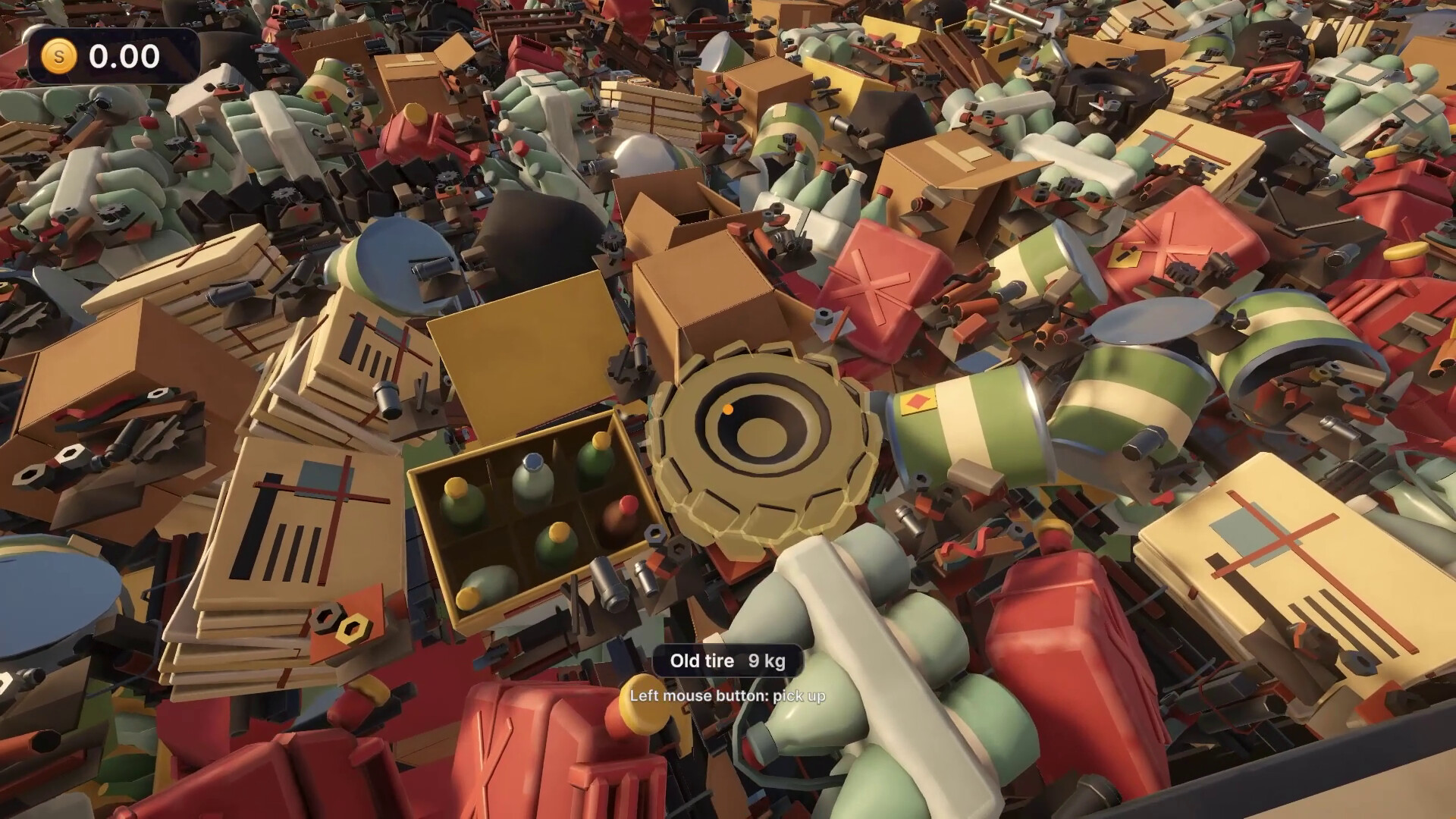
This tools page is the practical checklist for Lost Bitcoin on Steam: how to install the free demo (AppID 5533180), how to wishlist the full game (AppID 5427110) for the December 4, 2026 launch, where Discord lives, what to attempt in a focused 30-minute session, and why the title stays friendly to light PCs. Developer Velto Games ships Windows-first. For humorous-versus-real hardware notes open System requirements; for calendar context open Release date.
Install the free demo (AppID 5533180)
- Sign into the Steam client on a 64-bit Windows machine.
- Visit the Lost Bitcoin store page or search Lost Bitcoin Demo.
- Use the Play Demo / free demo button tied to AppID 5533180.
- Install to any drive with ordinary free space — this is not a 100 GB shooter.
- Launch, confirm mouse-look and interact feel right, then dig scrap near the platform.
If the demo button is missing, open the demo’s own AppID page directly from Steam search. Avoid third-party “demo downloaders”; Steam is the only trusted path listed on Official links.
Wishlist the full game (AppID 5427110)
Wishlisting does three useful things before December 4, 2026:
- Steam can notify you at unlock.
- The store page gains signal that helps other players discover the junkyard.
- You separate “I liked the demo” from “I will remember launch day.”
Click Wishlist on the full AppID 5427110 page even if a final cart price is still settling. Do not buy keys from random storefronts. After you wishlist, optionally follow Velto channels so last-mile news is not a surprise.
Discord and YouTube
- Discord:
discord.gg/2dGu34RgE4 - YouTube:
@Velto.Games.Studio
Use Discord for stuck-spot reports, co-op LFG, and polite drone feedback. Use YouTube for official trailers and studio gameplay. Both are mirrored with Steam on the Links hub. This wiki is unofficial — community rules on Discord still apply.
What to try in 30 minutes
Treat the first half-hour as a competence test, not a wallet spoiler run.
Minutes 0–10 — Furnace fluency
- Dig a shallow amphitheater with an obvious ramp.
- Carry or throw scrap into the furnace until coins tick.
- Open the skill tree once; buy a small mobility or collection comfort node if offered.
- Do not dig a death shaft.
Minutes 10–20 — Tank and route
- Extend a staircase spine a modest depth.
- Fill whatever tank you have and dump again.
- Pocket USB sticks without obsessing; scan a small batch on the platform computer once.
- Note whether throws miss — that tells you furnace opening / auto-hopper will matter soon.
Minutes 20–30 — Power peek and deck glance
- Buy the next bottleneck (collection quality or tank size) instead of a luxury drone.
- Climb to the deck and look at where a future crane-belt machine line would sit.
- If friends are on, assign one burner before four people strip one hole.
- Stop on a success: full dump + one upgrade + climbable exit.
When the half-hour feels good, continue with Getting started and a longer Demo walkthrough. When it feels bad, read Tips & common mistakes before rage-uninstalling — most pain is ramp discipline and USB FOMO.
Light PC expectations
Lost Bitcoin is aimed at accessible Windows hardware. Steam’s minimum copy is intentionally jokey; in plain language you want a working 64-bit OS, a GPU that can show a first-person junkyard, and enough disk for the install. If the demo runs smoothly at your preferred settings, you are in strong shape for the December 4 build unless Velto publishes heavier recommended specs later. Details and caveats: System requirements.
Laptop tip: plug in, disable extreme battery savers for the session, and lower look sensitivity if thermals make frames wobble — controls comfort matters more than max debris settings for learning throws.
Demo versus full game (wishlist framing)
| Demo 5533180 | Full game 5427110 | |
|---|---|---|
| Price | Free | Wishlist now; buy on/after Dec 4, 2026 |
| Role | Learn dig-burn-upgrade, taste factory & USBs | Expanded tree, factory depth, fuller vertical tools |
| Co-op | Online up to 4 | Online up to 4 (verify live store text) |
| Elevator / station toys | Often limited or out of order | Expected fuller access after launch |
Reception context (Very Positive demo score in November 2026) lives on Demo reception. Use it as social proof, then trust your own 30-minute test.
Launch-week checklist
- Demo installed and one clean furnace hour completed.
- Full game wishlisted (5427110).
- Discord joined if you want patch chatter.
- Friends briefed on co-op roles.
- Controls skimmed so interact keys are not a mystery on day one.
- Release date bookmarked for the December 4 reminder.
Related tools and guides
- System requirements — PC honesty check
- Controls — movement and interact habits
- Getting started — first-hour loop
- Release date — December 4, 2026
- Official links — Steam, Discord, YouTube
- Parent: Tools hub
Install the free demo, give the furnace thirty honest minutes, wishlist if the scrap sings, and keep December 4 circled. That is the entire job of this page — no fake key shops, no invented patch numbers, just Steam AppIDs and a plan.
Frequently Asked Questions
Quick answers about Lost Bitcoin, the demo, and launch prep.
What is the Lost Bitcoin demo AppID?
The free Steam demo is AppID 5533180. Install it from the Lost Bitcoin store page’s demo button or the dedicated demo app entry.
Which AppID do I wishlist for the full game?
Wishlist AppID 5427110 for the December 4, 2026 Windows Steam release.
Where is the official Discord?
Join discord.gg/2dGu34RgE4. Studio videos also appear on YouTube at @Velto.Games.Studio. Both are listed on the Official links page.
What should I do in my first 30 minutes?
Learn climbable digs, burn scrap for coins, buy a small comfort upgrade, batch-scan a few USBs, and peek at the deck — do not chase the wallet or a luxury drone yet.
Will a low-spec PC run the demo?
Lost Bitcoin is intentionally light on Windows 64-bit. If the demo runs well for you, you are in good shape for launch unless official recommended specs rise later. See System requirements.